ROG Xbox Ally Update Improves Docked Play and Adds Auto SR Preview
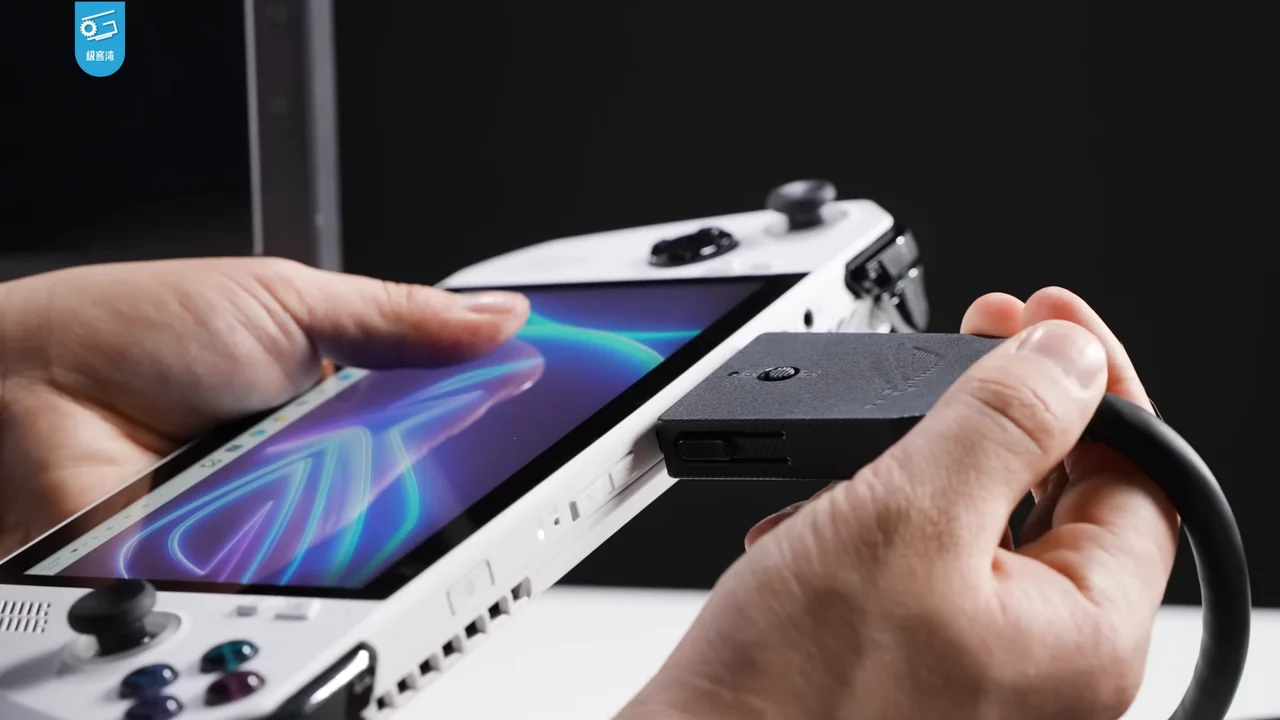
Xbox announced April 30 updates for ROG Xbox Ally handhelds, including automatic TV output when docked, library changes and an Auto SR preview.
What the source confirms
Xbox said docked play would move gameplay to the external TV and turn off the handheld display to optimize output settings.
The update included an Auto SR preview and improvements to the collective library and enhanced vibration, according to Microsoft’s post.
Xbox directed owners to update Armoury Crate SE, the Xbox PC app, Game Bar and Windows 11 to access the announced improvements.
Why it matters
A handheld’s docked experience depends on more than a cable: display selection, resolution, refresh rate and HDR output all affect whether it feels like a living-room PC. Automatic switching can remove setup steps, but it also needs predictable behavior when users undock or connect different screens. Preview upscaling should be evaluated separately from the dock feature.
Docking Changes the Display Path and the Update Checklist
Microsoft says gameplay would move to the external television when an ROG Xbox Ally is docked and the handheld display would turn off. That describes a change in how the system presents the game, not a new console mode or a guarantee of higher performance. The article should keep the source’s stated purpose—optimizing output settings—without inventing a resolution or frame-rate improvement. Players can check whether the behavior occurs on their setup after updating the required software.
The update depends on several components: Armoury Crate SE, the Xbox PC app, Game Bar, and Windows 11. That list matters because a user who updates only one component may not see the complete announced experience. It also means the troubleshooting path should begin by checking versions before concluding that the feature is missing. The announcement does not specify every device build or update delivery schedule, so current support pages remain useful for model-specific steps.
Docked use and handheld use are different situations. Turning off the built-in display may suit a television session, while the same behavior would not be desirable when a player is holding the device away from a screen. A reader should therefore treat the feature as a context-dependent change. The April announcement establishes what Microsoft intended for docked play; hands-on testing can document how the transition feels across supported accessories and displays.
Auto SR Preview Should Be Read as an Early Feature
Microsoft labels Auto SR a preview, so its status should remain visible wherever the feature is described. A preview indicates an early availability stage; the announcement does not establish that every title or every configuration will behave identically. Readers should avoid translating the feature name into an unconditional performance promise. The exact game, system settings, and update state matter to any observation.
The same post groups Auto SR with library and vibration improvements. Those changes affect different parts of the device experience: image handling, finding games, and tactile feedback. They should not be merged into one claim that the handheld received a single broad performance upgrade. A player can test each part separately and describe what changed in the relevant app or game.
Future release notes can clarify whether Auto SR remains a preview, expands to more configurations, or changes its settings. Until then, a careful article should say that Microsoft added a preview and direct readers to keep the required components current. It should not infer a final compatibility list or compare image quality with a specific alternative without evidence from a documented test.
A Multi-App Update Is Easier to Troubleshoot One Piece at a Time
Because Microsoft lists Armoury Crate SE, the Xbox PC app, Game Bar, and Windows 11 among the components to update, a user should check each separately. If dock behavior changes but Auto SR does not appear, that may be a different software state rather than one unified failure. The announcement does not provide a single version number for every component in the summary.
Documenting the device model and each installed version makes a support question more useful. It also prevents the article from implying that installing one app is sufficient for every feature. The current support instructions can clarify version requirements as they change.
What readers should consider
Update the named software components, then test the dock with the TV’s supported resolution, refresh rate and HDR settings. Keep the device’s power and thermal behavior in mind during long sessions. Auto SR is a preview feature, so users should check supported games and compare image quality before relying on it.
Evidence and limitations
The source is Xbox’s update summary and does not include an independent device test or a complete compatibility list. “Optimizing” display settings is Microsoft’s description; actual output depends on the dock, cable, monitor and game. Preview status indicates behavior may change.
What to watch next
Later release notes can confirm which Ally models, games and external displays are supported. If an update changes docking defaults or image reconstruction, report the version and hardware configuration so the result is reproducible.
Sources
- Xbox Wire: New ROG Xbox Ally Updates: Docking Improvements, Auto SR Preview, Collective Library, Enhanced Vibration, and More
Docking behavior, display output changes, Auto SR preview, library and vibration updates.