Xbox Mode Begins Rolling Out to Windows 11 PCs
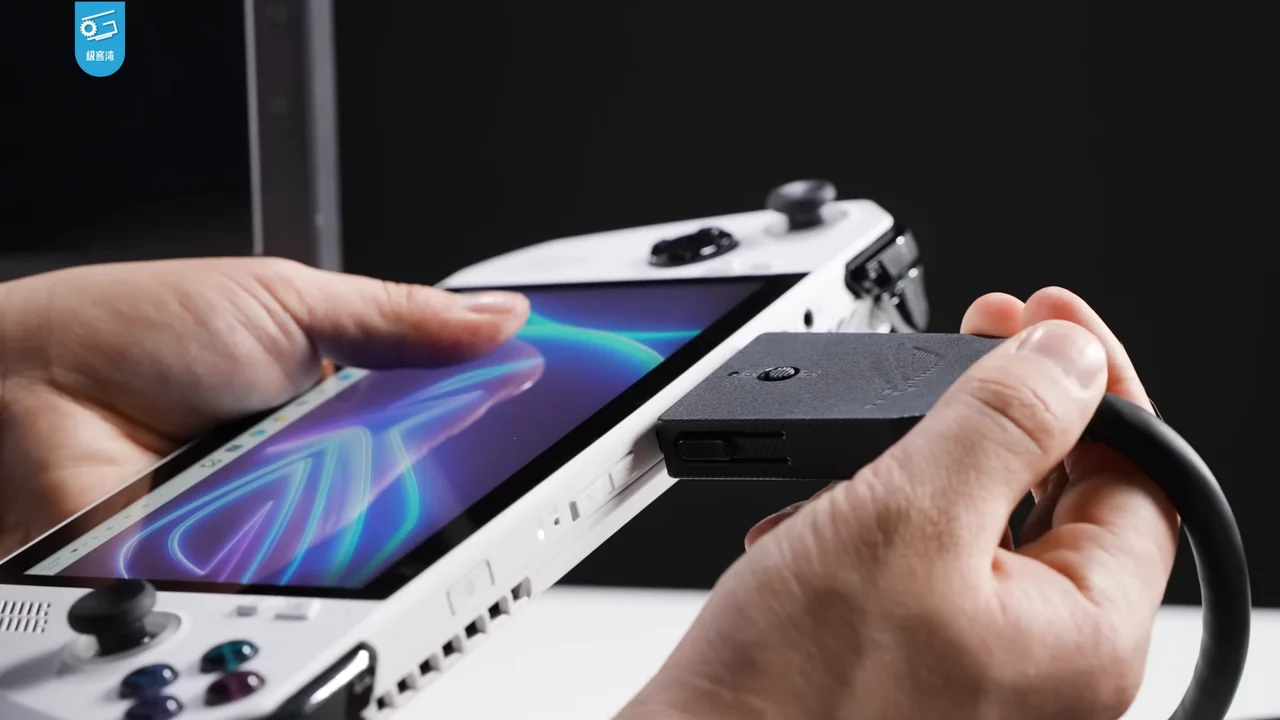
Microsoft began a gradual Xbox Mode rollout to selected Windows 11 PCs on April 30, bringing a controller-focused library view to desktops and laptops.
What the source confirms
Xbox said the feature would begin rolling out in selected markets to Windows 11 laptops, desktops and tablets, with broader availability over following weeks.
The full-screen interface is designed for controller navigation and includes an aggregated library with Game Pass games and installed titles from leading PC storefronts.
Microsoft said users could switch between Xbox Mode and the Windows desktop, preserving access to the underlying Windows environment.
Why it matters
Xbox Mode is a software shell on Windows rather than a separate console operating system. The distinction matters because it adds a couch-friendly entry point while leaving compatibility and storefront behavior tied to PC apps and Windows. Aggregating a library can reduce navigation friction, but it does not merge game licenses or subscriptions.
A Full-Screen Library View Is an Interface Choice, Not a New Operating System
Xbox Mode is described as a controller-focused interface on Windows 11, and Microsoft says users can return to the Windows desktop. This matters because the feature changes how a player navigates and sees a library while preserving access to the underlying Windows environment. The announcement does not say that Windows is replaced or that every desktop feature disappears. Calling it a mode keeps the distinction clear.
The aggregated library is also a presentation layer. It brings together Game Pass games and installed titles from leading PC storefronts, according to Microsoft. That does not necessarily mean the app owns or manages every game license in the same way. A reader should check which storefronts and titles appear on their system and continue to use the relevant account for entitlement and updates. The interface can reduce navigation friction without changing the terms of each store.
Since rollout is gradual and limited initially to selected markets, availability should be checked on the specific PC. The post gives a date for the beginning of rollout and says broader availability would follow over subsequent weeks. It does not guarantee that every Windows 11 user received the feature on April 30. Support pages or the current app can confirm whether a particular device has it.
What a Controller-Focused View Can Help Players Evaluate
A full-screen view can make a PC library easier to browse from a couch or a handheld-style setup, but the announcement alone does not establish that every interaction is optimized for every controller. Users may want to check how search, filters, updates, and launch options work without a keyboard or mouse. Those are practical evaluation questions rather than promised outcomes in Microsoft’s overview.
The ability to switch back to the desktop is an important part of the described flow. A player can use the game-oriented view for browsing and return to familiar Windows tools when needed. The exact transition and device behavior may vary during a gradual rollout, so a follow-up should identify the build and region tested. This keeps observations attached to the version the reader might encounter.
The feature’s usefulness depends on a user’s setup and habits. Someone who plays at a desk may prefer the standard desktop, while a player using a controller may value an aggregated library view. The announcement provides the interface’s intent and rollout context; hands-on testing can establish responsiveness and accessibility. A careful article reports the former and frames the latter as something to assess rather than assume.
The Gradual Rollout Makes Device-Level Confirmation Important
Microsoft said the rollout would begin in selected markets and broaden over following weeks. A Windows 11 user who did not see Xbox Mode on April 30 should not assume the announcement was false or that the PC is unsupported; the staged schedule is part of the report. Current app availability and regional notices are the practical way to check a device.
The feature’s value can be assessed after it appears. Readers may want to see how the combined library handles storefront titles and whether controller navigation covers the tasks they use. The announcement defines the interface goal, while the installed version and hands-on experience answer those device-specific questions.
What readers should consider
Make sure Windows Update and the Xbox app are current, then check whether the feature has reached your region and device. Test controller focus, sleep/resume behavior and whether non-Xbox storefront games launch as expected. Users who prefer desktop controls can return to the standard Windows interface according to Microsoft.
Evidence and limitations
The announcement describes a gradual rollout and intended experience, not availability on every PC immediately. It does not benchmark performance, battery use or reliability across hardware. Listing a storefront game in an aggregated library does not establish that its license or launcher is managed by Xbox.
What to watch next
Support pages and later release notes can clarify rollout completion, keyboard accessibility and supported device requirements. Compare those details to the April announcement before assuming a particular PC has received the feature.
Sources
- Xbox Wire: Xbox Mode Begins Rolling Out to Players on Windows 11 PCs Today
The April 30 phased rollout, controller interface, aggregated library and market availability wording.